Back

Improving efficiency across internal tools at scale
Redesigned an internal guide system to help employees complete tasks faster by improving navigation, clarity, and information access.
Timeline
June – August 2021
Role
Product Designer Intern
Tags
Internal Tools
Information Architecture
Back
Improving efficiency across internal tools at scale
Redesigned an internal guide system to help employees complete tasks faster by improving navigation, clarity, and information access.
Timeline
June – August 2021
Role
Product Designer Intern
Tags
Internal Tools
Information Architecture
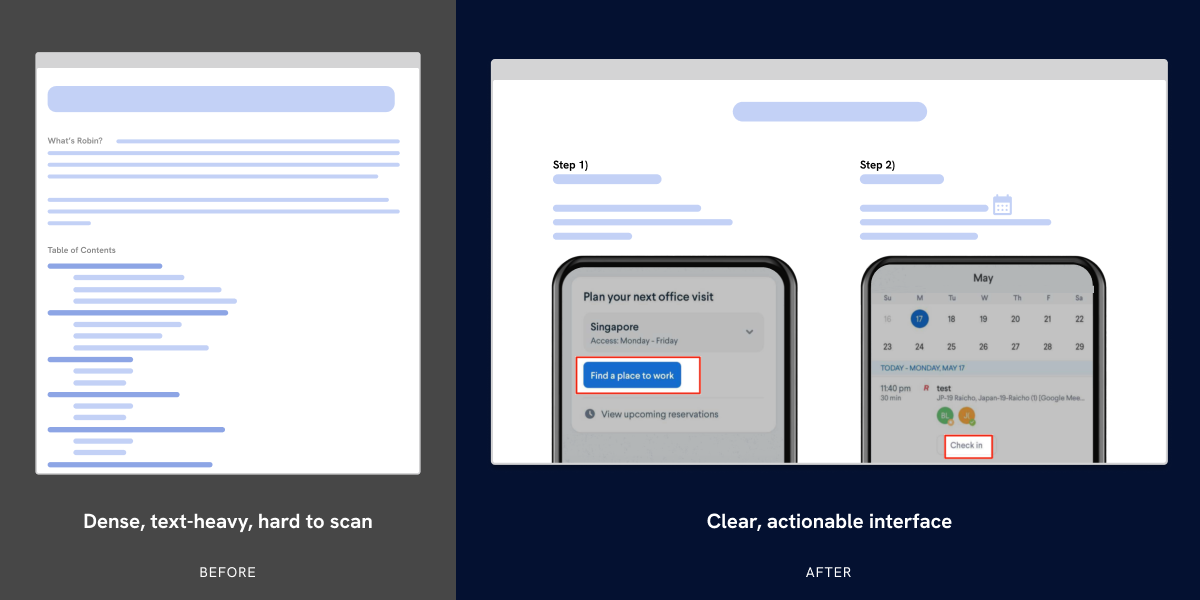
Shifting from text-heavy documentation to a clear, task-driven interface
IMPACT METRICS
5,500+ employees | 32 offices in 19 countries worldwide
→ Reduced time to complete key tasks by 30%
→ Improved usability across iOS, Android, and Web
→ Increased engagement with internal tools
→ Improved usability across iOS, Android, and Web
→ Increased engagement with internal tools
Due to NDA constraints, detailed designs are not publicly available. I walk through this project in interviews.
Overview
I redesigned an internal guide system used by employees to navigate tools and complete everyday tasks.Despite being critical to workflows, the experience was slow, confusing, and underused.
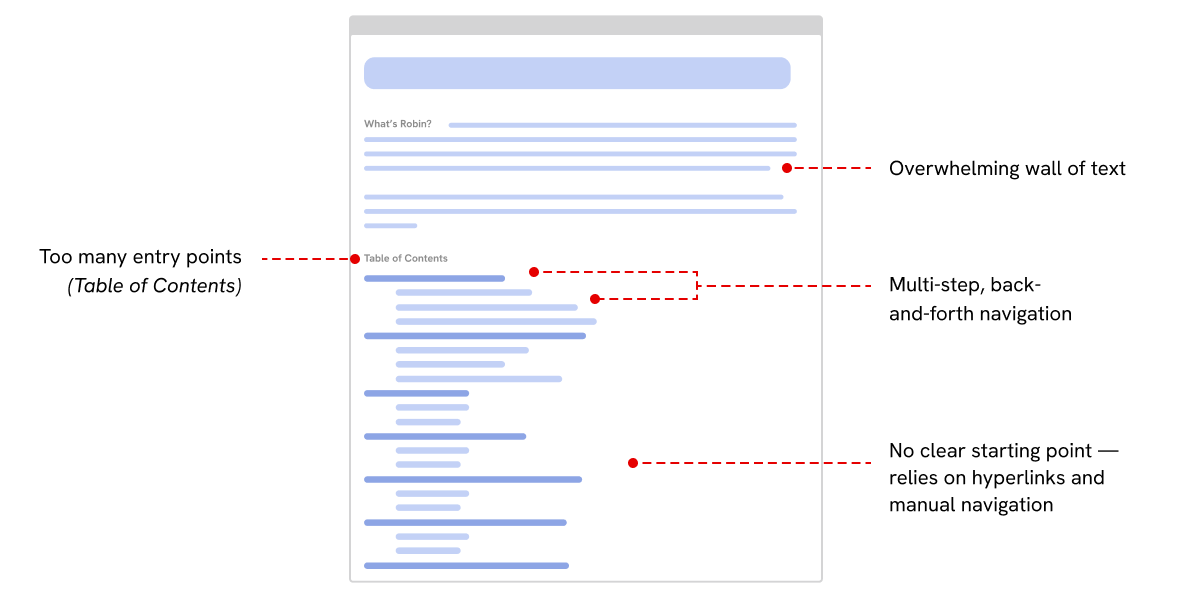
Identifying key usability issues: excessive entry points, unclear hierarchy, and navigation friction
Employees spent up to 8 minutes completing simple tasks
• No clear information hierarchy
• Dense, text-heavy instructions
• Inconsistent visuals across platforms
• 80% ignored the table of contents
Research
• Usability testing
• Workflow analysis
• Employee interviews
The problem wasn’t the task
…it was accessing the right information quickly
Solution
• Structured navigation system
• Platform-specific guides (iOS, Android, Web)
• Visual-first instruction design
• Simplified information architecture
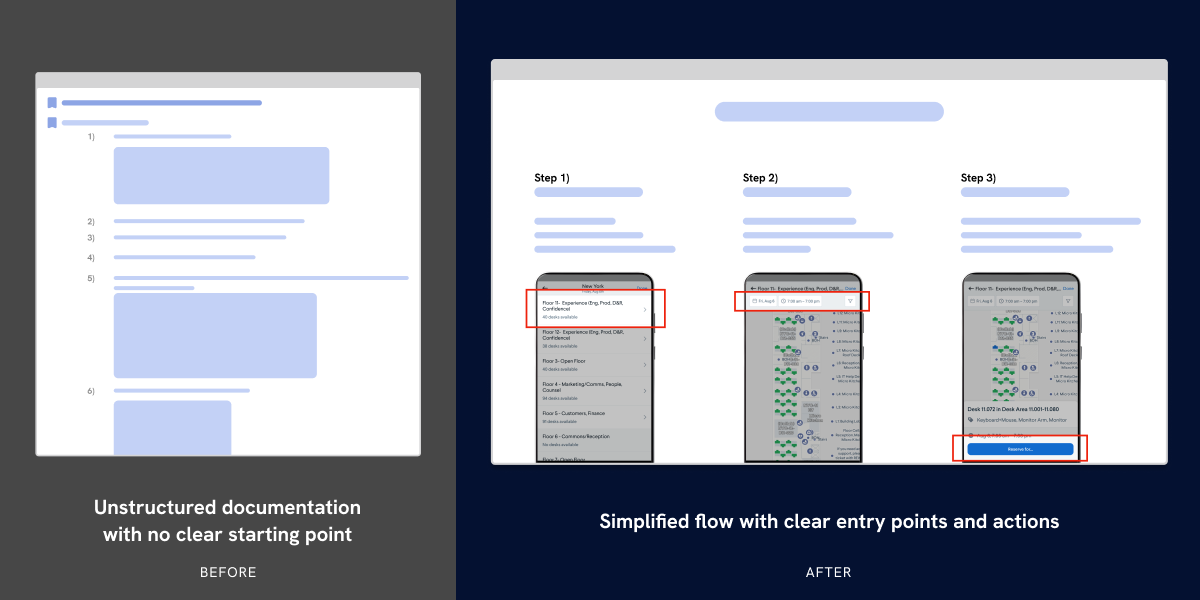
Restructuring the experience into a guided, step-by-step flow with clear actions
Improving navigation clarity
Employees struggled to locate key actions due to unclear structure and dense instructions.
I simplified navigation and introduced clearer visual hierarchy to guide users more effectively.
Reduced time to locate key actions
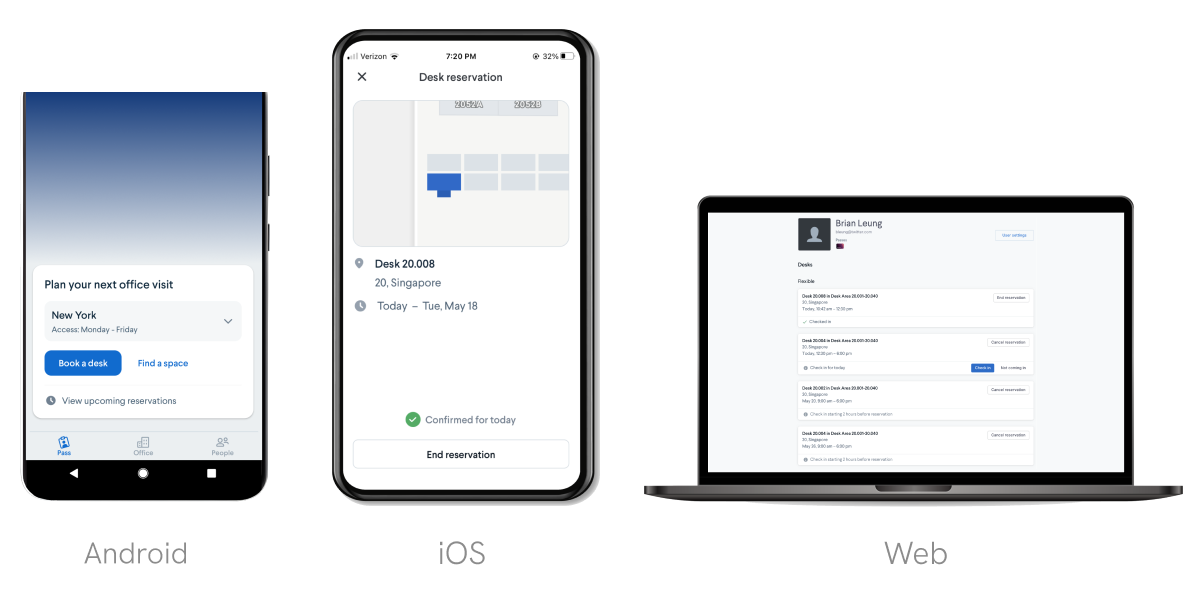
Adapting a consistent booking experience across iOS, Android, and Web platforms
Designing for platform differences
Users couldn’t follow instructions because visuals didn’t match their device.
I created platform-specific guides to ensure consistency across iOS, Android, and Web.
Improved task completion across devices
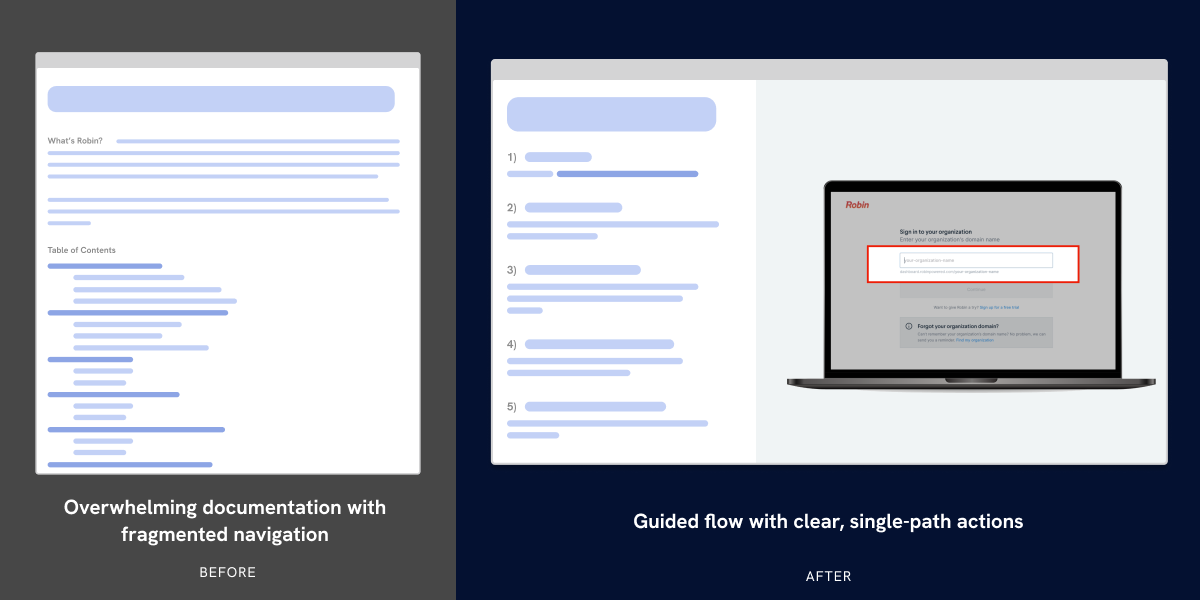
Reducing cognitive load through visual-first instructions and simplified decision-making
Reducing cognitive load
Long, text-heavy instructions made tasks difficult to scan and complete.
I shifted to a visual-first approach with simplified steps and iconography
Improved scan-ability and reduced cognitive load
reflection
Working on internal tools taught me that clarity at scale is a systems problem, not a UI problem.
• Improving access to information can have a larger impact than redesigning individual interactions
• Cross-functional collaboration directly shapes design outcomes
• Designing for real users requires adapting to constraints, not designing around them